
Download Cartography – mapping, cartography, map types, map projections, map symbols, map scale, geography, educational app, map learning, map tools
Overview
Cartography is an educational and reference application developed by LLC Kirlanik, designed to provide users with a comprehensive understanding of mapping principles and techniques. Available exclusively on Android, the app serves as a digital resource for students, educators, and geography enthusiasts seeking to deepen their knowledge of cartography. Its primary purpose is to explain core concepts such as map projections, symbols, scales, and the classification of map types including topographic, thematic, and navigational maps.
By offering structured content in an accessible format, the app addresses the need for reliable, self-paced learning tools in geography and spatial sciences. Real-world usage scenarios include classroom instruction, independent study, and casual exploration of how maps represent geographic information. The app’s free availability enhances accessibility, making it suitable for learners across diverse educational settings.
While the developer did not provide additional system requirements, the application is designed to function within standard Android environments. The developer's focus on educational content suggests a commitment to knowledge dissemination in the field of spatial representation.
Key Features & Capabilities
- Comprehensive Cartography Education: The app delivers detailed explanations of fundamental cartographic principles, including map projections, scales, and symbols, enabling users to understand how maps translate real-world data into visual formats.
- Exploration of Map Types: Users can learn about various map categories such as topographic, thematic, and navigational maps, each accompanied by descriptions of their functions and practical applications.
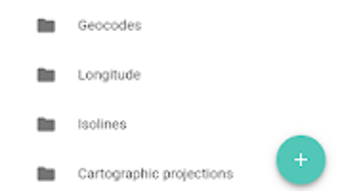
- Visual Learning Tools: The interface presents map-related content through a user-friendly layout, allowing learners to interact with visual examples and descriptions to reinforce conceptual understanding.
- Reference-Style Content: Designed as a digital reference, the app supports both quick lookups and in-depth study, making it useful for students preparing for exams or educators seeking supplementary materials.
- Free Access to Educational Material: As a no-cost application, Cartography removes financial barriers to accessing high-quality cartographic knowledge, supporting inclusive learning opportunities.
These features collectively support educational goals by offering structured, accurate information in a format that promotes retention and application. For instance, a student studying geography can use the app to compare different map projections and understand their distortions. Similarly, a teacher might recommend it as a supplemental tool during lessons on spatial data representation.
User Interface, Workflow & Performance
The user interface of Cartography is designed with clarity and ease of navigation in mind, aligning with the app’s educational purpose. Content is organized into logical sections, allowing users to progress from foundational concepts to more complex topics. Navigation is intuitive, relying on a clean layout with consistent menu structures that minimize cognitive load.
The workflow supports both linear study and non-linear exploration, accommodating different learning styles. Users can access detailed descriptions and visual examples without requiring prior technical knowledge. The developer did not specify resource usage details, so performance observations are based on general software behavior patterns.
However, the app’s 12.5 MB size suggests efficient resource utilization, which may contribute to stable operation on a range of Android devices. Stability and responsiveness are expected to be consistent with standard educational apps, though real-world testing data was not provided. No performance benchmarks or system behavior reports were included in the release materials.
Compatibility & System Requirements
Cartography is compatible with Android operating systems, though specific version requirements were not listed. The application has a file size of 12.5 MB, indicating a lightweight footprint that is likely to support installation on devices with moderate storage capacity. The developer did not specify minimum hardware requirements, such as RAM or CPU specifications.
As such, exact system requirements were not listed. Compatibility information was partially provided, leaving users to rely on general Android compatibility standards. The app’s release date of April 8, 2024, suggests it is a recent addition to the Android ecosystem, potentially optimized for modern devices.
Users should ensure their Android device meets basic app installation standards to run the application successfully.
Pros and Cons
Pros
- Free to download and use, enhancing accessibility for learners and educators.
- Comprehensive coverage of cartographic principles, including map projections, scales, and symbols.
- User-friendly interface suitable for students and non-experts.
- Available on Android, reaching a broad audience of mobile learners.
- Structured content supports both self-study and classroom integration.
Cons
- No information provided about compatibility with specific Android versions.
- Exact performance and resource usage details were not specified.
- Limited to Android platform; no support for iOS or desktop systems.
- Lack of interactive features such as quizzes or map-building tools.
- No mention of offline functionality or data connectivity needs.
FAQ Section
Is Cartography available for iOS devices?
As of the current release, the app is only available on Android. There is no official information regarding an iOS version.
Is the app free to use?
Yes, Cartography is available at no cost. The app does not require a subscription or in-app purchases.
Does the app require an internet connection?
The developer did not specify whether the app functions offline or requires internet access. Users should expect that core content may be accessible without connectivity, but additional features might depend on a network connection.
How often are updates released?
Information about update frequency was not provided. The latest version available is 1.0.1, released on April 8, 2024.
What type of license does Cartography use?
The licensing model was not disclosed. As a free educational app, it likely operates under a standard open or proprietary license, but specific terms are not publicly available.
Final Thoughts + CTA
Cartography stands out as a focused, accessible educational tool for anyone interested in the science and art of map-making. Its clear explanations of complex topics like map projections and symbols make it a valuable resource for students and teachers alike. While it lacks advanced interactive elements and platform diversity, its core content is well-structured and relevant.
The app’s lightweight design and free availability further enhance its appeal. For users seeking a reliable, no-cost introduction to cartography, this app delivers solid educational value. Download Cartography now to explore the world of maps and deepen your understanding of geographic representation.







